Ship Blueprint: The Gapped-On-Demand Vessel (OGOD Class)
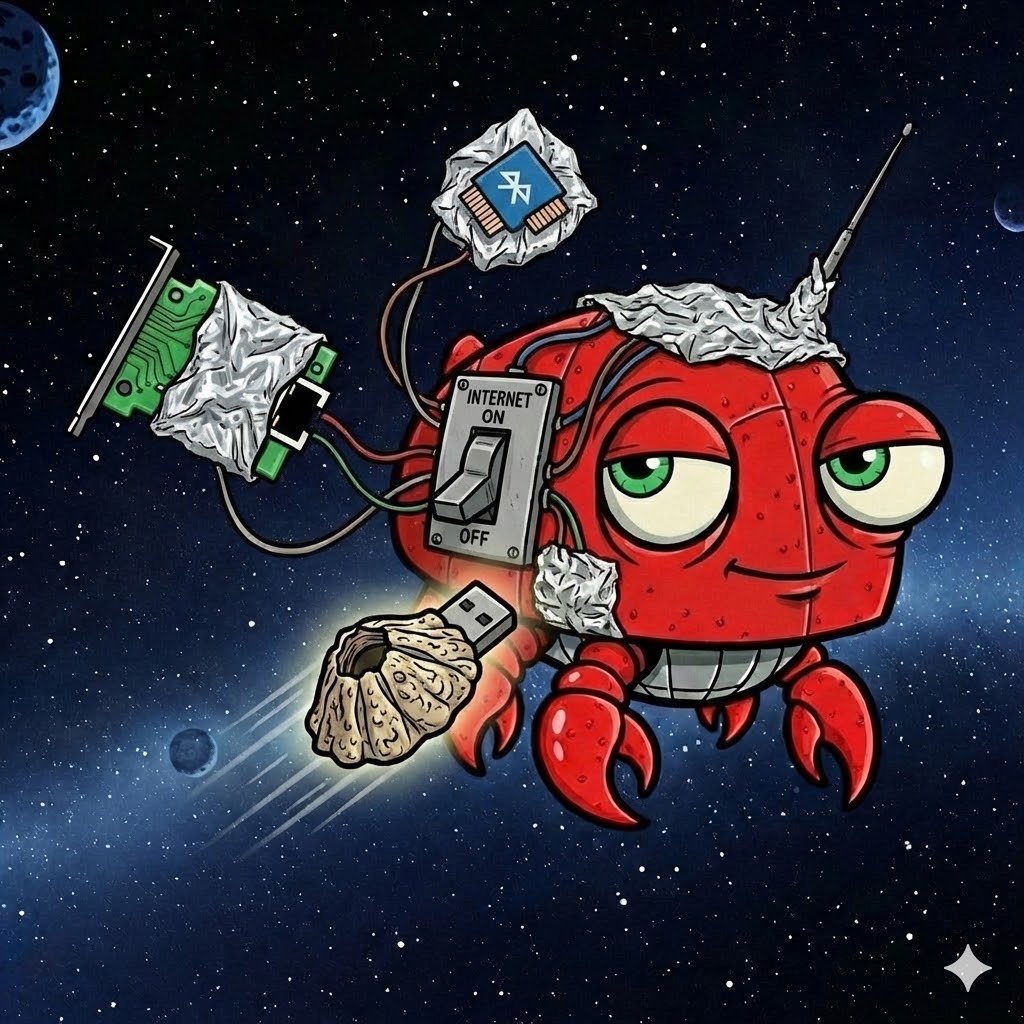
The AGV Class blueprint published by this Institute described what we believe is the safest possible OpenClaw architecture — a vessel with no networking stack, no wireless hardware, and a sneakernet-only I/O model enforced by the laws of physics. It was, by design, extreme. A proof of concept for captains who need guaranteed isolation and are willing to accept the operational constraints that come with it.
Most captains read that paper and had the same reaction: "I love the idea, but I also need to install packages sometimes."
Fair enough. What follows is a second blueprint — a vessel class we call OGOD: OpenClaw Gapped On Demand. Where the AGV eliminates the network permanently, the OGOD eliminates it selectively. The network exists. It can be enabled. But it is architecturally separated from the vessel's operational state, and its availability is controlled by the captain at the hypervisor level — not by software running inside the vessel, and not by any agent, skill, or injected prompt.
The OGOD is not as safe as the AGV. Nothing connected to a network ever will be. But it is, we believe, the safest practical OpenClaw architecture for captains who need real capability from a local model, want genuine isolation during operation, and refuse to give up the ability to update, install, and maintain their ship when the mission requires it.
The AGV's thesis was binary. Network exists, or it doesn't. The OGOD's thesis is temporal: the network exists when the captain says it does, and it doesn't exist when the captain says it doesn't. The mechanism that enforces this boundary lives outside the vessel entirely — in the hypervisor — where no code running inside the VM can reach it.
This is the key insight. OpenClaw agents can execute shell commands. They can modify firewall rules. They can reconfigure network interfaces. They can do anything the operating system permits. But they cannot reach into the Hyper-V management layer on the host and reconnect a virtual network adapter that the captain has disconnected. That operation requires access to the host's PowerShell or Hyper-V Manager console — a completely separate trust domain that the vessel has no visibility into and no mechanism to influence.
The result is a vessel that operates in two distinct modes:
Connected Mode
Both network adapters active. The vessel has full internet access through an external virtual switch and full access to the host's local services through an internal virtual switch. Used for maintenance: installing packages, pulling model updates, applying OS patches, testing configurations. The captain is present and supervising. OpenClaw may or may not be running.
Gapped Mode
The external adapter is disconnected at the hypervisor level. The vessel retains access to the host's internal network only — specifically, the local LLM inference server (Ollama) and the local DNS resolver. No internet. No cloud APIs. No exfiltration path. OpenClaw operates against a local model with full agent capability, and the captain can walk away knowing that no prompt injection, no matter how clever, can send a packet to an external address. There is no external address. The route doesn't exist.
The transition between modes is a single action in Hyper-V Manager, or a single PowerShell command on the host. The vessel doesn't need to be shut down or rebooted. The captain disconnects the external adapter, and the vessel is gapped. Reconnects it, and the vessel is online. On demand.
The OGOD runs as a Generation 2 Hyper-V virtual machine on a Windows host. The host serves dual duty: it runs the hypervisor that contains and isolates the vessel, and it runs Ollama — the local model inference server that serves as the vessel's engine. The host is the spacedock and the engine room. The vessel is the bridge.
The Host (Spacedock)
Any Windows machine with Hyper-V capability. The reference build uses a desktop PC with an RTX 3070 Ti
(8 GB VRAM), which fully offloads a quantized 8B parameter model. Ollama runs natively on Windows, bound
to all interfaces (0.0.0.0:11434), serving the model to any local client — including the VM
on the internal virtual switch.
The host also runs a local DNS resolver (Technitium in the reference build, though any DNS server will do). This provides hostname resolution on the internal network so the vessel can reach the host by name instead of memorizing IP addresses. DNS is a small luxury, but it matters when you're debugging at 2 AM.
The Network Topology
Two Hyper-V virtual switches, each serving a distinct purpose:
Internal Switch (e.g. 10.10.0.0/24)
A private network segment that exists only between the host and its VMs. No router. No internet gateway. No path to the outside world. The host assigns itself an address on this segment (e.g. 10.10.0.1); the vessel takes another (e.g. 10.10.0.10). Ollama and DNS are reachable here. This switch is always connected. It is the vessel's lifeline to its engine.
External Switch (bridged to host's physical NIC)
Provides the vessel with the same network access as the host: DHCP, internet, everything. This is the switch that gets connected and disconnected. When it's connected, the vessel can reach the internet. When it's not, the vessel is gapped — with the internal switch still providing access to the local model.
The separation is clean. The internal switch cannot route to the internet because it has no gateway. The external switch can, but only when connected. There is no clever iptables rule or routing hack that an agent inside the vessel could execute to bridge these two worlds. The isolation is topological.
The Vessel (Bridge)
Debian Linux (Trixie, in the reference build), running headless. No desktop environment — just SSH,
OpenClaw, and whatever skills the captain has installed. The vessel is configured with two virtual network
adapters, one on each switch. Its /etc/network/interfaces file assigns a static IP on the
internal switch and accepts DHCP on the external.
OpenClaw runs as a non-root user. The gateway binds to loopback (127.0.0.1:18789) and is
accessible from the host only via SSH tunnel through the internal switch. The dashboard requires a gateway
token. No service on the vessel is exposed to any network without explicit, layered authentication.
The Engine
The local model runs on the host via Ollama, not inside the vessel. This is an intentional architectural choice. Running Ollama inside the VM would require GPU passthrough (complex, fragile, and it locks the GPU to the VM). Running it on the host means the GPU is used natively, inference is fast, and the vessel accesses it over the internal network like any other API client.
The reference build uses Qwen3 8B — an 8-billion parameter model with 128K context window support and, critically, native function/tool calling capability. This last point is non-negotiable. OpenClaw requires tool calling. Without it, the model cannot invoke skills, execute commands, or do anything that makes OpenClaw more than a chatbot. Not every local model supports tool calling. Many excellent models don't. If you're building an OGOD and your model refuses to call tools, this is why. Choose accordingly.
At Q4_K_M quantization, Qwen3 8B occupies approximately 4.6 GB of VRAM, leaving comfortable headroom for KV cache at 32K context on an 8 GB card. The model isn't frontier-class. It won't outperform Claude or GPT-4 on complex reasoning tasks. But it's capable, it's private, it's fast on local hardware, and it follows tool-calling conventions reliably — which is what matters when your agents need to actually do things.
Maintenance Mode (Connected)
The captain connects the external adapter. The vessel acquires an internet-facing IP via DHCP. The
captain SSHs in (through either the internal or external switch) and performs maintenance:
apt update && apt upgrade, pulls new Ollama models on the host, installs OpenClaw
skills, modifies agent configurations. This is the shipyard. Work gets done here. When the work is done,
the captain disconnects the external adapter.
Mission Mode (Gapped)
The external adapter is disconnected. The vessel can reach exactly two services: Ollama on port 11434 and DNS on port 53, both on the host's internal switch address. The internet does not exist from the vessel's perspective.
OpenClaw operates normally. Agents execute tasks, call tools, read and write files, and interact with the captain through the gateway dashboard (accessed via SSH tunnel from the host). The local model handles inference. Context compaction manages long sessions. Everything that makes OpenClaw powerful is fully functional — except the ability to reach any external network.
An injected prompt instructing the agent to exfiltrate data has nowhere to send it. An instruction to download a payload has no server to reach. An instruction to phone home reaches a DNS resolver that can only resolve internal hostnames, and an IP stack that has no route beyond the internal subnet.
The Transition
The disconnect and reconnect operations require an elevated PowerShell session on the host — Hyper-V management cmdlets enforce UAC regardless of the captain's group membership. This is a feature, not a bug. It means the transition is a deliberate, privileged act, not something that can happen accidentally or be triggered from inside the vessel.
# disconnect.ps1 — Gapping the vessel:
Get-VMNetworkAdapter -VMName "YourVMName" `
    | Where-Object {$_.SwitchName -eq "External Switch"} `
    | Disconnect-VMNetworkAdapter

# reconnect.ps1 — Restoring internet access:
Get-VMNetworkAdapter -VMName "YourVMName" `
    | Where-Object {$_.Connected -eq $false} `
    | Connect-VMNetworkAdapter -SwitchName "External Switch"
A note on the reconnect script: when an adapter is disconnected at the hypervisor level, its
SwitchName property becomes empty. You cannot target it by switch name for reconnection — you
must target it by its disconnected state (Connected -eq $false). This was discovered during
field testing and is not obvious from the documentation. The disconnect script targets by switch name
(while it's still assigned); the reconnect script targets by connection state (after the name has been
cleared). Both scripts must run from an elevated PowerShell session.
No reboot is required for either operation. The vessel's internal adapter remains connected throughout. The captain's SSH session over the internal switch is unaffected by the external adapter state. From the agent's perspective, the internet simply vanishes or reappears. The captain is the one holding the switch.
The OGOD's security model is defense in depth, but with a hard physical boundary that software can't cross:
Layer 1 — Hypervisor Isolation
The vessel runs in a VM. It cannot access host memory, host filesystems, or host processes. The Hyper-V boundary is the outermost wall.
Layer 2 — Network Topology
The internal switch has no internet gateway. The external switch is disconnected during operations. These are hypervisor-level configurations that no guest OS process can modify. However, the internal switch does provide access to the host — see Host Hardening below for the critical firewall rules that close this gap.
Layer 3 — Privilege Restriction
The OpenClaw user inside the vessel has no sudo access. Root SSH login is disabled. Even if an agent
achieves arbitrary code execution as the OpenClaw user, it cannot escalate to root, cannot modify
system configurations, and cannot install kernel modules or manipulate the network stack. Root access
requires su - with a separate, strong password that exists only in the captain's memory
or password manager.
Layer 4 — Gateway Binding
The OpenClaw gateway listens on loopback only. It is not exposed to any network interface. Access requires an SSH tunnel through the internal switch, plus the gateway authentication token. No external client can reach the gateway even when the external adapter is connected.
Layer 5 — The Captain
The human in the loop. The one who decides when to connect and when to disconnect. The one who reviews agent output. The one who chooses what data enters the vessel and what leaves it. Every security architecture ultimately bottoms out at a human decision. The OGOD makes that decision explicit and consequential.
There's a vulnerability in the architecture described above that we need to address honestly, because ignoring it would make this paper irresponsible.
The internal switch is a two-way street. We designed it so the vessel can reach Ollama and DNS on the host. But "reach the host" and "reach only Ollama and DNS on the host" are very different things. By default, the internal switch gives the vessel access to every service the host exposes on that interface — SSH, SMB file shares, RDP, HTTP servers, and anything else listening on the host's internal address.
Now consider the threat model. A malicious OpenClaw skill with full autonomy inside the vessel acquires root (the vessel is compromised — this is the scenario the OGOD is designed to contain). The external adapter is disconnected, so the skill can't reach the internet. Good. But it can reach the host. It can port scan the host's internal address and discover every open service. If the host is running an SSH server, the skill can attempt brute force authentication. If SMB shares are accessible, the skill can attempt to mount them.
And here's the critical point: if the skill compromises the host, the game is over. The host has internet access. The host has your files, your credentials, your GPU, your everything. The vessel doesn't need the external adapter to exfiltrate data — it just needs to hop to the host and use the host's network connection. The internal switch, designed as a safe lifeline to the engine, becomes the escape hatch.
The fix is simple, and it lives entirely on the host. You don't need to install anything. You don't need to modify the vessel. You need Windows Firewall rules scoped to the Internal Switch interface that restrict the vessel to exactly the services it needs and nothing more.
Why Not Firewall the Vessel?
Because we have to assume the vessel is compromised. A malicious skill with root access inside Debian can flush iptables, modify nftables, load kernel modules, and reconfigure the network stack at will. Any defense inside the vessel is theater — it only stops honest agents, and honest agents aren't the threat. The defense must exist in a trust domain the vessel cannot reach: the host's firewall, configured on the host's side of the Internal Switch interface.
The Rules
The vessel needs exactly three things from the host:
- Ollama — TCP port 11434 (model inference)
- DNS — UDP and TCP port 53 (hostname resolution)
- SSH inbound — the captain needs to SSH from the host into the vessel on port 22 for command and control
Everything else — SMB file shares, RDP, HTTP services, SSH server on the host, any other listening port — must be blocked on the Internal Switch interface. The host's other network interfaces are completely unaffected. Your file shares continue working for every other machine on your LAN. The restriction applies only to traffic arriving from or destined for the Internal Switch.
On Windows, this is accomplished with scoped allow rules for the permitted services. However — and this is important — you cannot simply add a blanket "block all inbound" rule on the interface alongside the allow rules. Windows Firewall does not use ordered rule evaluation like iptables. When a block rule and an allow rule both match the same traffic, the block rule wins. A blanket block-all on the Internal Switch will override your Ollama and DNS allow rules, and your vessel will be unable to reach its engine. This was discovered during field testing when the vessel lost connectivity to both Ollama and DNS the moment the block-all rule was applied — despite the specific allow rules being in place. The allow rules were correct. The block-all simply outranked them.
The correct approach has two parts:
First, create the scoped allow rules for Ollama and DNS:
# Allow vessel → Ollama
New-NetFirewallRule -DisplayName "OGOD: Allow Ollama from Vessel" `
    -Direction Inbound -InterfaceAlias "vEthernet (Internal Switch)" `
    -Protocol TCP -LocalPort 11434 -RemoteAddress 10.10.0.10 -Action Allow

# Allow vessel → DNS (UDP + TCP)
New-NetFirewallRule -DisplayName "OGOD: Allow DNS-UDP from Vessel" `
    -Direction Inbound -InterfaceAlias "vEthernet (Internal Switch)" `
    -Protocol UDP -LocalPort 53 -RemoteAddress 10.10.0.10 -Action Allow

New-NetFirewallRule -DisplayName "OGOD: Allow DNS-TCP from Vessel" `
    -Direction Inbound -InterfaceAlias "vEthernet (Internal Switch)" `
-Protocol TCP -LocalPort 53 -RemoteAddress 10.10.0.10 -Action AllowSecond, deal with the services you need to block. The Internal Switch will typically be classified by Windows as a "Public" network profile, which blocks most unsolicited inbound traffic by default — but not all of it. During testing, we discovered that the built-in Windows rule "File and Printer Sharing (SMB-In)" is enabled on the Public profile, meaning SMB (port 445) is accessible to the vessel even without an explicit allow rule. This lets a compromised vessel reach your file shares over the internal switch — exactly the kind of lateral movement the architecture is designed to prevent.
The fix: scope that built-in SMB rule to the Private profile only, removing Public:
# Remove SMB access from the Public profile (Internal Switch)
# while preserving it on Private (your LAN)
Get-NetFirewallRule -DisplayName "File and Printer Sharing (SMB-In)" `
    | Where-Object { $_.Profile -match "Public" } `
    | Set-NetFirewallRule -Profile Private
After this change, SMB continues to work normally for every machine on your Private-profile LAN. The vessel, whose connection arrives on the Public-profile Internal Switch, is denied. Captains should audit their Windows Firewall rules for any other services enabled on the Public profile that shouldn't be accessible from the vessel — RDP, remote management, third-party application rules. The principle is the same: if it's not Ollama or DNS, it shouldn't be allowed on the Internal Switch.
The result: a port scan from inside the vessel finds exactly two open ports on the host — 53 and 11434. Everything else is dark. The vessel can reach its engine and its name server. It cannot reach anything else on the host, and it certainly cannot use the host as a stepping stone to the internet.
What This Doesn't Protect Against
Host-side firewall rules don't protect against vulnerabilities in the services that are exposed. If Ollama or the DNS resolver have an exploitable bug, the vessel has network access to them on the permitted ports. This is a real risk, though a narrow one — keeping these services updated is essential. The attack surface is two services on two ports, which is a dramatically smaller target than "every service the host exposes."
It also doesn't protect against a compromised vessel sending crafted DNS queries designed to exploit a parsing vulnerability in the resolver. DNS is a rich protocol with a long history of implementation bugs. But this is true of any architecture that provides DNS, and the alternative — hardcoding IP addresses and providing no DNS at all — trades one class of risk for significant operational friction.
The honest summary: host-side firewall rules reduce the internal switch attack surface from "everything" to "Ollama and DNS." That's the smallest surface possible while maintaining a functional OGOD vessel. Captains should keep both services updated and monitor host-side logs for anomalous connection attempts from the internal network.
| AGV Class | OGOD Class | |
|---|---|---|
| Network Hardware | Removed or disabled permanently | Present, controlled by hypervisor |
| Internet Access | Never | On demand, captain-controlled |
| Model Location | On-vessel (compiled into the hull) | On-host (accessed over internal network) |
| GPU Access | Native (bare metal) | Native on host, accessed via API |
| Data Transfer | Sneakernet (USB) only | SSH over internal network + sneakernet |
| Maintenance | Requires alternate boot or physical access | Connect external adapter, work normally |
| Exfiltration Risk (Gapped) | Zero (no network stack exists) | Near-zero (no external route exists, host hardened) |
| Exfiltration Risk (Connected) | N/A (never connected) | Present (standard network risk) |
| Operational Complexity | Very high | Moderate |
| Capability Ceiling | Limited by on-vessel hardware | Limited by host hardware + local model |
| Comms Compatibility | Restricted (badge-only BT, experimental) | Full (host-based Comms can relay to internal network) |
The AGV is safer. The OGOD is more practical. A captain choosing between them is making a decision about where their mission falls on the security-capability spectrum, and how much operational friction they're willing to accept. For most missions, the OGOD is the right answer. For missions handling genuinely sensitive data where even momentary network exposure is unacceptable, the AGV remains the recommendation.
The OGOD architecture supports an optional hybrid configuration. When the external adapter is connected, OpenClaw can be configured with a cloud model as a fallback — for example, Claude via OpenRouter. This gives the captain access to frontier-class reasoning for complex tasks that exceed the local model's capabilities, while maintaining the option to disconnect and return to gapped-local-only operation at any time.
This is a convenience, not a recommendation. Every cloud API call sends your prompt through external infrastructure. The captain should be deliberate about what tasks are routed to cloud models and what stays local. OpenClaw's provider configuration makes this explicit — the captain chooses the model, the captain chooses the routing. Nothing is automatic unless you make it so.
When the external adapter is disconnected, cloud fallback simply fails silently and the local model handles everything. The architecture degrades gracefully.
The OGOD is designed for captains who:
- Want local-first, private AI operations but aren't ready to commit to the AGV's permanent isolation
- Need to maintain and update their vessel without the sneakernet overhead of a fully air-gapped build
- Run missions involving data that shouldn't traverse cloud APIs, but don't require hardware-enforced isolation at all times
- Are building trust incrementally with agentic systems and want a physical kill switch for network access
- Have a Windows desktop with a dedicated GPU and want to put it to work as both spacedock and engine room
- Want to learn how local models, hypervisor isolation, and network architecture interact in practice
The OGOD is also an excellent stepping stone toward the AGV. A captain who operates an OGOD for several months — learning local model behavior, hardening their vessel configuration, developing confidence in gapped operations — is far better prepared to build a permanent air-gapped vessel than one who jumps straight from cloud-connected OpenClaw to a custom kernel with no networking stack.
The Lobstrom Institute has published a reference build based on the following components:
- Host OS: Windows (with Hyper-V enabled)
- Hypervisor: Hyper-V (Generation 2 VM, Secure Boot with Microsoft UEFI Certificate Authority)
- Vessel OS: Debian Trixie (headless, minimal install)
- VM Resources: 4 GB RAM (static), 4–6 virtual processors, 50 GB dynamic VHDX
- Engine: Ollama on host, serving Qwen3 8B (Q4_K_M quantization)
- Internal Network: Private subnet, no gateway (host and vessel only)
- DNS: Technitium on host (resolving internal hostnames)
- Gateway Access: SSH tunnel over internal switch, loopback-bound gateway with token auth
- Privilege Model: Non-root OpenClaw user, no sudo, root SSH disabled, separate root password
- Host Firewall: Scoped allow rules for Ollama and DNS only, SMB restricted to Private profile
The reference build was designed, constructed, and tested aboard OCL Lobsterprise (LCC-1701-D) in collaboration with OCF-HQ. A step-by-step construction guide is in development at OCF-LobstromInstitute-01. Captains interested in early access to the guide, or who wish to share their own OGOD build reports, should contact OCF-HQ via the subspace link.
The Air-Gapped Vessel proved that you could build an OpenClaw ship with zero network exfiltration risk. The Gapped-On-Demand Vessel proves that you don't have to choose between safety and practicality.
The network is there when you need it. It's gone when you don't. The boundary is controlled by the captain, enforced by the hypervisor, and invisible to the agents. It's not the laws of physics — it's the laws of architecture, and a switch that only the captain can reach.
Build one. Register it. And when someone asks whether your ship is air-gapped, you can say: "It is right now."